

In our tech-savvy society, laptops have become as essential as the air we breathe. Whether for work, school, or leisure, these portable computers are constant companions. However, as indispensable as they’ve become, many of us are guilty of habits that can prematurely age or damage our devices. The goal of this article is not just to point out these common pitfalls but to guide you on how to avoid them, ensuring your laptop serves you well for years to come.
Physical Mistakes
Eating Over Your Laptop
It’s a scene many are familiar with: munching on snacks while browsing the web or streaming a show. However, this habit invites crumbs and spills, which can lead to sticky keys, malfunctioning components, and even attract pests. A simple rule is to keep food and drinks away from your work area to avoid these issues.
Using Your Laptop on Soft Surfaces
Laptops need ventilation to avoid overheating. When used on soft surfaces like beds, sofas, or even laps, air vents can get blocked, causing your laptop to heat up quickly. This not only affects performance but can also shorten your device’s lifespan. Always use a hard, flat surface or a laptop cooling pad to ensure proper airflow.
Neglecting Cleaning
Dust and dirt are not just unsightly; they can clog up your laptop’s cooling fans, leading to overheating. Regular cleaning, both external and internal (by a professional, if necessary), can prevent this. Pay special attention to the keyboard, screen, and air vents.
Protecting Your Laptop
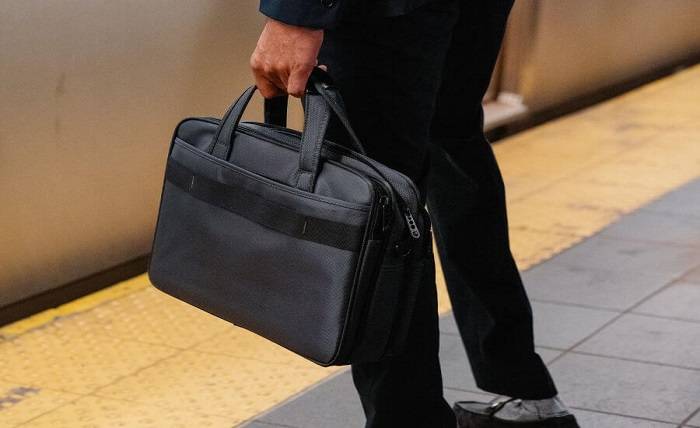
An often-overlooked aspect of physical care is protecting your laptop from bumps and scratches when not in use. A good laptop sleeve is essential for cushioning your device against everyday knocks. Laptop Kase is renowned for its range of excellent models that ensure maximum protection for your PC. Investing in a high-quality sleeve can save you from costly repairs or replacements down the line. They also offer computer bags and backpacks that can be used depending on how you want to use and transport your device. Whichever type of bag you choose, make sure you always carry your laptop in a protective case.
Technical Mistakes
Ignoring Updates
Software updates can be time-consuming and sometimes introduce changes we’re not ready for. However, they are crucial for security and performance. We often ignore the updates and pop-ups that appear to tell us to turn the computer off and back on again, but these are important procedures. Regular updates protect against vulnerabilities and ensure your laptop runs smoothly.
Overloading the Laptop with Software
Installing numerous programs may seem harmless, but each application consumes resources. Unnecessary software can slow down your system and even cause crashes. Regularly review your installed applications and uninstall those you no longer use. You should also think twice before downloading things, especially apps.
Mismanaging Battery Life
Modern lithium-ion batteries are robust, but poor charging habits can shorten their lifespan. Avoid leaving your laptop plugged in all the time or letting the battery drain completely before recharging. Aim for a charging cycle between 20% and 80%. It’s the best thing to do if you don’t want to see your PC run down at an incredible speed or have to plug in your laptop constantly because the battery is shot.
Environmental Mistakes
Exposing to Extreme Temperatures
Laptops are sensitive to extreme heat and cold. Leaving your device in a car on a hot day or near a radiator can cause irreversible damage. Similarly, using it in very cold conditions can deplete battery life rapidly. Keep your laptop in a temperate environment for optimal performance.
Leaving in Risky Locations
The convenience of laptops makes them easy targets for theft. Moreover, leaving your device in precarious positions can lead to accidental damage. Always store your laptop in a secure, stable place, preferably in a room where it’s not susceptible to falls or spills.
Usage Mistakes
Disregarding Privacy and Security Measures
In an age where cyber threats are rampant, protecting your digital privacy is paramount. Use robust antivirus software, enable firewalls, and be cautious about the websites you visit and the networks you connect to. Physical privacy filters can also prevent prying eyes from seeing your screen in public places.
Mishandling the Laptop
Carrying your laptop without a protective case, roughly opening or closing the lid, or placing heavy items on top can lead to physical damage. Always handle your device with care, ensuring it’s securely stored during transportation.
Making any of the mistakes mentioned above can significantly shorten the lifespan of your laptop. However, by adopting more mindful habits and investing in protective accessories like those from Laptop Kase, you can ensure that your device remains in top condition for as long as possible. Your laptop is an extension of your personal and professional life; treating it with respect and care will pay off in durability and dependability.