

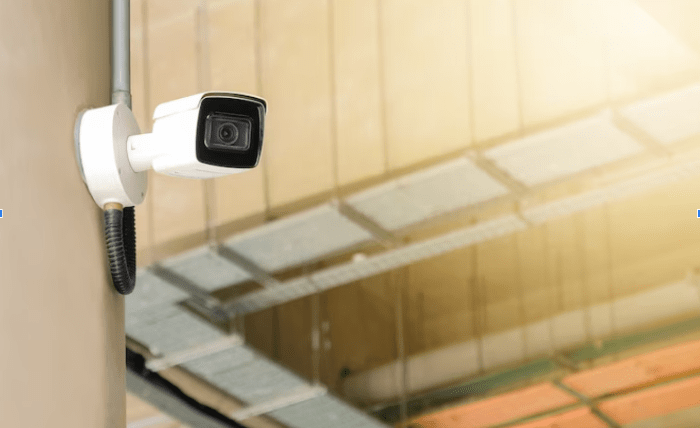
Installing a security system is one of the best steps you can take to protect your property, whether it’s a small business, a large commercial space, or something in between.
But before you jump into the process, there are a few important things to think about. A well-planned system should match your space, your needs, and your budget, not just offer a generic solution.
With so many technologies and options available, it’s easy to feel overwhelmed. That’s why understanding the key factors ahead of time will help you make better decisions and avoid common mistakes.
Understand Your Security Needs
The first and most important step is figuring out what exactly you need to protect. Are you worried about break-ins, vandalism, employee safety, or after-hours access? Different concerns require different solutions.
Walk through your property and list the entry points, high-value areas, and weak spots. A small café may only need a few indoor cameras and a front door alarm, while a warehouse might require a full-scale system with sensors, surveillance, and access control.
Property Layout and Size
The size and layout of your space will directly influence the type and number of devices you’ll need. Open layouts with wide spaces might require fewer cameras but with higher resolution or wider angles. In contrast, complex layouts with many hallways, rooms, or entry points may need a more detailed setup.
Don’t forget to consider outdoor areas as well. Parking lots, back alleys, and delivery zones can all be vulnerable and should be part of your planning.
Type of Business
Not all businesses have the same security needs. A retail store might prioritize customer-facing surveillance and theft prevention. Offices may be more concerned about data security and managing access to certain areas. Industrial sites could need rugged equipment that withstands harsh environments.
Knowing the nature of your business helps guide your choices, especially when it comes to choosing the right sensors, alarm types, and camera durability.
Budget and Long-Term Costs
While it’s tempting to go for the cheapest package, security isn’t something to cut corners on. Instead, aim for a system that offers value for money and long-term reliability. Remember, your costs will include more than just the initial setup.
Factor in the cost of:
- Professional installation (if needed)
- Monthly monitoring services
- Maintenance and software updates
- Cloud storage or additional hardware
Monitoring Options
You’ll need to decide whether you want your system professionally monitored or if you prefer to self-monitor using mobile alerts. Professional monitoring services can call authorities for you in an emergency, which can be reassuring, especially for larger buildings or overnight coverage.
Self-monitoring can be cost-effective, but it does require that someone is always available to respond to alerts.
Integration with Other Systems
Many modern security tools are designed to work together. Cameras, motion detectors, alarms, and even access control devices can be managed from one platform. If your business already uses smart devices or access management software, look for systems that can sync easily with them.
This kind of integration improves efficiency and makes the system easier to control day-to-day.
Scalability for Future Growth
A good security system should be able to grow with your business. If you’re planning to expand, move, or open additional locations, it helps to choose a system that can scale without major changes. Modular systems let you add new cameras, doors, or sensors as needed.
Choosing flexible tech now saves you from having to start from scratch later.
Installation Considerations
Some systems are easy to install on your own, while others require professional setup. If you have a simple layout, DIY might be an option. But for larger commercial spaces or more advanced features like access control or wired sensors, professional installation ensures everything works correctly from day one.
Also, think about where devices will go. Do you have stable internet connections in those spots? Are power outlets accessible? Answering these questions ahead of time helps the process go smoothly.
Privacy and Data Protection
Security systems don’t just collect footage—they collect data. Make sure the system you choose protects that information properly. This includes encrypted storage, secure login credentials, and user-level access controls.
You’ll also want to stay compliant with local privacy laws, especially if you’re recording in areas where staff or customers are present.
Middle of the Process: Picking the Right Partner
Not every provider will offer the same level of service, support, or customization. If your business needs a system built specifically for its layout and operations, it’s worth working with a professional who understands the local environment and business requirements.
For reliable and scalable commercial alarm systems, take a look here. With tailored options for different industries, they provide systems that combine smart design, modern tech, and practical features that fit your property, not the other way around.
Maintenance and Support
A security system is only useful if it works when you need it. That’s why regular maintenance, updates, and customer support are essential parts of the equation. Ask about warranty terms, support availability, and how easy it is to get replacement parts or schedule a service call.
Look for systems that send automatic health alerts if something goes offline or stops working. Staying ahead of small issues can prevent bigger problems down the line.
Final Thoughts
Installing a security system isn’t just a box to check—it’s a smart investment in your safety, your property, and your peace of mind. When you take the time to evaluate your space, understand your needs, and choose a provider that delivers smart, flexible solutions, you’re setting yourself up for long-term protection.