

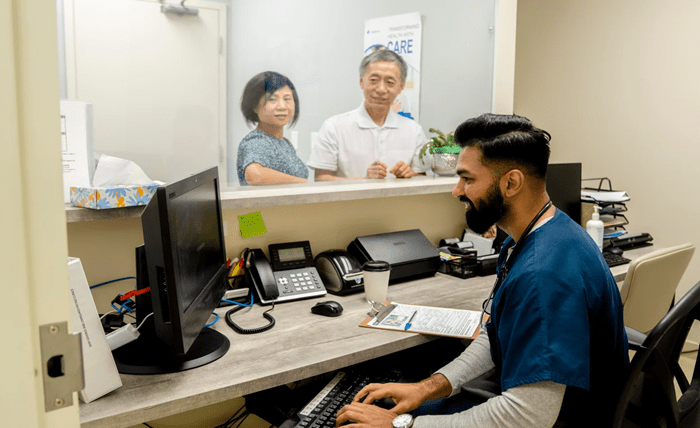
Managing healthcare appointments used to be a time-consuming task, often involving long wait times and phone calls. However, patient portals have changed how people book medical visits, making it easier and faster. Studies show that online scheduling reduces wait times and improves access to care, allowing patients to secure appointments at their convenience. Whether you’re booking a routine check-up or a vaccination, using a digital platform streamlines the process.
Using a patient portal, you can schedule appointments with just a few clicks. Book your next appointment now to save time and avoid unnecessary delays.
What Is a Patient Portal?
A patient portal is an online platform that allows individuals to manage their healthcare needs from one secure location. These portals are typically provided by healthcare providers, hospitals, or pharmacies and give patients direct access to important health information and services.
Key patient portal benefits include:
- Easy appointment scheduling without the need to call the office.
- Access to medical records such as test results and prescriptions.
- Secure messaging with healthcare providers for follow-ups and questions.
- Automatic reminders and notifications for upcoming visits.
By learning how to use a patient portal efficiently, you can take control of your healthcare and stay organized without unnecessary hassle.
Setting Up Your Patient Portal Account
You’ll need to create an account before you can start using a patient portal for online appointment booking. The setup process is simple and usually requires a few basic steps:
- Visit the portal website: Most healthcare providers will provide a direct link to their patient portal.
- Register with your details: Enter your name, date of birth, and contact information. Some portals may require an activation code from your healthcare provider.
- Create a secure login: Choose a strong password and set up multi-factor authentication for added security.
- Verify your account: Check your email or phone for a verification link to activate your account.
Once your account is set up, you can log in anytime to book medical appointments, check lab results, and manage your healthcare from anywhere.
How to Schedule Appointments Quickly?
One of the biggest advantages of using a patient portal is scheduling appointments without calling or waiting on hold. Here’s how to do it efficiently:
- Log in to your patient portal: Use your secure credentials to access your account.
- Navigate to the appointment section: Look for a tab labeled “Appointments” or “Schedule a Visit.”
- Select your provider and service: Choose the doctor, specialist, or service you need (e.g., flu shot, medication consultation).
- Find available time slots: The portal will display open appointment times—pick the one that fits your schedule.
- Confirm your appointment: Review the details and submit your booking. Many portals will send a confirmation email or text message.
The portal allows you to schedule appointments within minutes, avoiding the delays of traditional scheduling methods. This streamlined process ensures faster access to services, improving customer convenience and efficiency.
Managing and Rescheduling Appointments
Plans can change, and patient portals make it simple to adjust your healthcare visits without stress. If you need to reschedule or cancel an appointment, follow these steps:
- Go to the “My Appointments” section in the portal.
- Locate your upcoming appointment and click the modify or cancel option.
- Select a new date and time if rescheduling, or confirm cancellation if no longer needed.
- Receive confirmation through email or SMS.
Rescheduling online is much quicker than calling a doctor’s office, ensuring you find a new time that works for you without waiting on hold.
Tracking Health Records and Reminders
Through patient portals, users access their medical background records and are notified about the following scheduled healthcare requirements.
Benefits include:
- Patients can access their test results together with prescriptions immediately through the platform.
- The system sends customised alerts for future vaccinations, screenings, and check-up appointments.
- Users can obtain medical records, which they can submit to other healthcare providers through downloads.
The organization made possible by these tools helps you oversee long-term medical requirements while avoiding forgotten critical healthcare dates.
Benefits of Using Online Appointment Tools
Digital booking systems for medical appointments through platforms give numerous benefits that surpass contact center scheduling practices.
- Saves time: The tool provides quick booking convenience with instant reservations whenever needed.
- 24/7 access: Schedule or modify appointments anytime, even outside office hours.
- Reduces scheduling errors: The tool provides instant access to the scheduled openings to eliminate booking errors.
- Easy access to past and upcoming visits: The platform provides simple access to historical and future appointments because it maintains all visit records centrally.
Patient portals now drive healthcare management evolution by providing complete convenience to users of all ages.
Conclusion
Using patient portals reduces the complexity of healthcare by combining appointment scheduling, medical records monitoring, and appointment management. An online scheduling tool enables patients to save valuable time and decrease their appointment-related workload by making bookings for regular check-ups and appointment rescheduling.
Healthcare users should use electronic scheduling combined with its efficient and protected features. Internet scheduling provides smooth appointment experiences and makes healthcare management easy.