

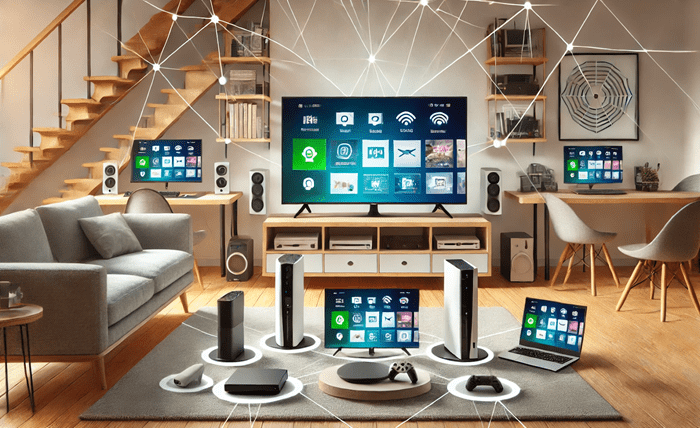
In an age where digital entertainment is at its peak, having an uninterrupted streaming and gaming experience is crucial for households. Whether it’s binge-watching your favorite series in 4K or engaging in intense online gaming sessions, a stable and fast internet connection is the backbone of a seamless experience. However, many factors can impact your home network’s performance, leading to buffering, lag, and poor video quality. This article outlines practical strategies to ensure uninterrupted streaming and gaming at home.
1. Choose the Right Internet Speed for Your Needs
The first step in achieving a smooth streaming and gaming experience is to choose the right internet speed. Different activities require different speeds, and it’s essential to select a plan that suits your household’s needs.
- Streaming Requirements: Streaming services like Netflix, Amazon Prime, and Hulu have specific speed requirements. For example, streaming in HD requires at least 5 Mbps, while 4K streaming demands around 25 Mbps per device.
- Gaming Needs: Online gaming requires a stable connection with low latency. Speeds of at least 10 Mbps per player are recommended, but more intensive games may require higher speeds.
It’s also vital to consider the number of users and devices in your home. If you have multiple family members streaming and gaming simultaneously, you will need higher bandwidth to accommodate everyone.
2. Optimize Your Home Network Setup
A well-organized network setup can significantly impact the quality of your streaming and gaming experience. Proper placement of your router, using wired connections, and minimizing interference can enhance network performance.
- Router Placement: Place your router in a central location, away from walls, metal objects, and electronic devices that could cause interference. Elevate it to a higher position for a wider coverage area.
- Minimize Interference: Cordless phones, microwaves, and other wireless devices can interfere with Wi-Fi signals. Keep your router away from such devices to reduce signal disruption.
| Feature | Description | Benefit |
| Dual-Band or Tri-Band Routers | Routers that operate on multiple frequencies (2.4 GHz and 5 GHz, or two 5 GHz bands) | Reduces congestion and improves speed |
| Mesh Wi-Fi Systems | Systems with multiple nodes that create a seamless network across larger areas | Provides consistent coverage throughout the home |
| Quality of Service (QoS) Settings | Allows prioritization of specific traffic types like streaming or gaming | Ensures optimal performance for prioritized activities |
| Latest Wi-Fi Standards (e.g., Wi-Fi 6) | Routers supporting the latest Wi-Fi standards for faster speeds and improved security | Future-proofing and enhanced network efficiency |
3. Upgrade Your Router and Modem
An outdated router or modem can be a bottleneck for your internet speed and reliability. Investing in modern networking equipment can enhance your home network’s performance and stability.
1. Look for Dual-Band or Tri-Band Routers: Dual-band routers operate on both 2.4 GHz and 5 GHz frequencies, reducing congestion and improving speed. Tri-band routers add an extra 5 GHz band, which can further reduce interference in crowded environments.
2. Consider Mesh Wi-Fi Systems: For larger homes or areas with Wi-Fi dead zones, a mesh Wi-Fi system can provide more consistent coverage. These systems use multiple nodes to create a seamless network, ensuring strong signals throughout your home.
3. Use Quality of Service (QoS) Settings: Many modern routers come with QoS features that allow you to prioritize certain types of traffic, such as gaming or streaming. This ensures that your most important activities get the bandwidth they need.
4. Manage Bandwidth Usage
Bandwidth management is crucial in preventing slowdowns and ensuring that all devices in your home get the internet speeds they need. Many routers allow you to monitor and manage bandwidth usage, which can be particularly useful for busy households.
- Limit Background Data Usage: Applications running in the background can consume bandwidth, affecting streaming and gaming performance. Make sure to close unused apps and services.
- Set Bandwidth Limits for Certain Devices: If some devices are consuming too much bandwidth, consider setting limits on those devices through your router’s settings.
- Schedule Heavy Downloads: Schedule large downloads or updates for off-peak hours when fewer people are using the internet. This helps free up bandwidth for more critical activities.
5. Utilize a Reliable Internet Solution
A reliable internet solution is key to uninterrupted streaming and gaming. With many options available, choosing the right one for your home is essential. For areas where traditional broadband options are limited or unreliable, alternatives like LTE for home internet can provide a stable and fast connection.
- Stable and Consistent Speeds: LTE for home internet offers consistent speeds that can handle multiple streaming and gaming sessions simultaneously, ensuring a smooth experience for all users.
- Flexibility and Easy Setup: LTE solutions are easy to set up and do not require complex wiring, making them a great option for households looking for a quick and effective solution.
6. Regularly Update Your Devices and Firmware
Keeping your devices, routers, and modems updated is crucial for maintaining optimal performance. Firmware updates often include bug fixes, performance improvements, and security patches that can enhance your network’s stability.
- Enable Automatic Updates: Set your router and devices to update automatically to ensure you are always running the latest version.
- Check for Updates Regularly: Even with automatic updates enabled, it’s a good practice to check for updates periodically.
Conclusion
Ensuring uninterrupted streaming and gaming at home involves a combination of choosing the right internet speed, optimizing your network setup, upgrading your equipment, managing bandwidth usage, and using reliable internet solutions like LTE for home internet. By following these steps, you can create a seamless and enjoyable digital entertainment experience for everyone in your household. Stay proactive with regular updates and adjustments to maintain a fast and reliable network for all your streaming and gaming needs.