

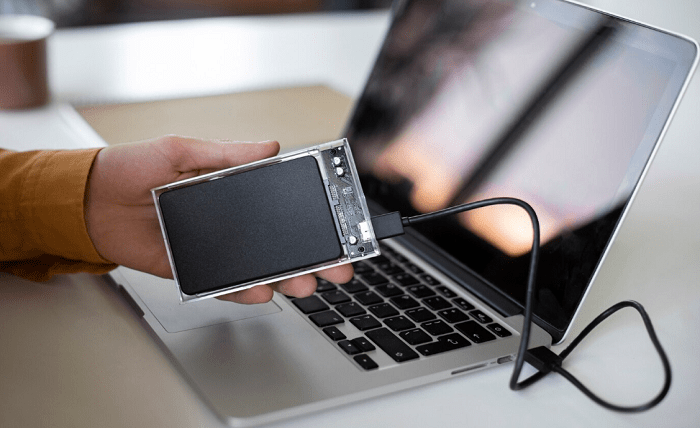
Using USB devices (USB drives, memory cards, scanners, printers, etc.) on various computers is a common issue that you encounter. Network printers and shared drives can be utilized with built-in Windows capabilities if the gadgets are networked. However, with extra software, the scanner’s network interaction is within the realm of attainable. Giving the virtual computer a USB connection over Ethernet is frequently preferable, even with virtualized operating systems.
Today, sharing usb device over network is a piece of cake if you use state-of-the-art technology.
What is a USB Over Network?
One innovative software that allows for direct cooperation is USB Over Network. It allows remote access via a network to the USB port of another gadget. Even though the application is subscription-based, this method maximizes the use of computer resources, ultimately saving significant time and money.
Moreover, it offers several noteworthy features:
- the ability to connect USB devices to a server computer for network sharing among client computers;
- the ability to access transmitted devices from client computers through the server;
- compatibility with a variety of USB device types and models;
- the ability to operate multiple USB devices simultaneously on one or more networked computers;
- support for USB hubs, which combine various devices into a single port.
It also supports various compatibility modes (RDP or Citrix) for remote session USB device usage and integrates security measures like encryption, authentication, and authorization to safeguard data.
Known as USB over Ethernet or USBoNET, this innovative program enables remote USB device access and sharing across network connections. It guarantees smooth communication to peripherals like printers, scanners, and disks from any networked computer by establishing a virtual USB port. Thanks to this creative method, direct connectivity between USB devices and individual PCs is no longer required.
Areas of application for USBoNET
USBoNET is a flexible way to reroute USB devices into any environment — from virtual gadgets to guest operating systems.
Sharing USB devices, such as printers, scanners, laser plotters, cameras, or external hard drives, among coworkers is frequently necessary in an office. Choosing specialized USB over Network software makes this procedure a lot easier.
Furthermore, it’s standard practice for developers to test and debug their works on distant iOS and Android devices. The USBoNET solutions not only make this practice more accessible but also make RDP USB redirection possible, enabling smooth device forwarding via WiFi.
Secure Way to Transmit Data
The USBoNET procedure transfers USB data packets between the computer’s installed Client and Server application components. No third-party servers are involved except for optional updates. As a result, the solution can stay offline and confined to your local network without connectivity to the Internet.
In addition, USBoNET guarantees a safe connection by supporting an SSL-encrypted communication between the Server and Client. An additional degree of safety is provided via password protection. It covers both the Server and individual USB devices. Furthermore, creating precise sharing guidelines that permit or forbid sharing particular device types is possible.
A customized version that only permits connectivity for specific device classes may be made upon request for enhanced security measures, guaranteeing that the strictest security requirements are satisfied.
Get Started with USB over Network
It is how simple it is to use USBoNET:
- Use the USB over the Network Server application. Hit the Share Device after selecting the USB device you wish to share.
- The client can share and use the USB device.
- Launch the USBoNET Client application, then select the Add Server option.
- To choose a remote computer with shared USB devices, hit Browse and OK. It will thus add the designated USB over the Network Server to the list of servers. The application will provide a real-time list of USB devices shared on the server if it is operational.
- Select a USB device now, then click the Connect button. Your computer will establish a network connection with the chosen device if it is on the server.
- You may now utilize the remote shared USB device on your local computer.
To cap it all, USB Over Network transforms USB device sharing across networks with smooth remote connectivity and robust security features. It removes the requirement for direct physical interconnections by enabling effective connections across diverse contexts. It guarantees safe, confidential, and regulated access in office environments and for developers conducting remote testing. The only option for complete USB device management and sharing is USBoNET, with its wide range of applications and focus on data protection.