

In the dynamic world of gaming, the PlayStation 5 (PS5) has taken center stage, revolutionizing the gaming experience with its cutting-edge technology and immersive gameplay. Connecting your PS5 to your television (TV) opens up a world of possibilities, allowing you to enjoy stunning visuals, responsive controls, and captivating adventures right from the comfort of your living room.
5 Steps tp Maximize Your PS5 Gaming Experience on Your TV
Connecting your PS5 to your TV is not as complicated as you might think. This comprehensive guide aims to provide you with step-by-step instructions on how to optimize your PS5 gaming experience on your TV, ensuring that you get the most out of your gaming setup.
Step 1: Connect Your PS5 to Your TV
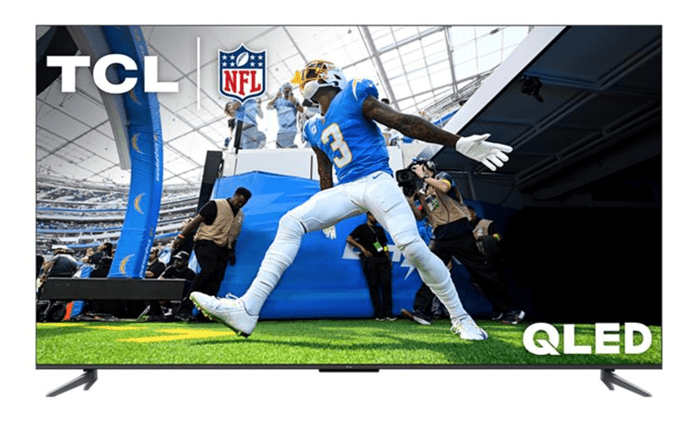
The first step in unleashing the full potential of your PS5 gaming experience is to connect your console to your TV. With the tcl q550g TV, featuring up to fast 120Hz Variable Refresh Rate (VRR), you can enjoy more responsive gameplay without lag, designed to keep you at the top of any leaderboard. Locate the HDMI ports on both your PS5 console and your TV, and use a high-quality HDMI cable to establish the connection. Ensure that both devices are powered off before making the connection to avoid any potential damage. Once connected, power on your PS5 and your TV, and switch the TV input to the corresponding HDMI port to display your PS5 output.
Step 2: Set Up Your PS5
After connecting your PS5 to your TV, power on the console and follow the on-screen prompts to complete the initial setup process. This includes configuring system settings such as language, time zone, and network connection. Make sure to sign in to your PlayStation Network (PSN) account to access online features and multiplayer gaming. Additionally, check for and install any available system updates to ensure optimal performance and compatibility with the latest games and features.
Step 3: Configure Display Settings
To optimize your gaming experience, navigate to the “Settings” menu on your PS5 and select “Screen and Video” to access display settings. Here, you can customize settings such as resolution, high dynamic range (HDR), and refresh rate to match the capabilities of your TV. If your TV supports HDR and Variable Refresh Rate (VRR), enable these features to enhance visual fidelity and reduce screen tearing during gameplay.
Step 4: Connect Gaming Accessories
Ensure that your gaming accessories, such as controllers and headsets, are connected and ready for use with your PS5. Pair your DualSense controller wirelessly via Bluetooth or connect it directly to the console using a USB cable for optimal responsiveness and control. Additionally, consider investing in accessories such as a gaming headset for immersive audio and a charging dock for convenient charging of your controllers.
Step 5: Launch and Enjoy PS5 Games
With your PS5 connected, configured, and accessories in place, it’s time to dive into your gaming library and start playing! From the PS5 home screen, launch your favorite games and immerse yourself in stunning graphics, responsive controls, and engaging gameplay. Take advantage of features such as 3D audio, adaptive triggers, and haptic feedback to enhance your gaming experience and truly feel like you’re part of the action.
Conclusion
By following these steps, you can unlock the full potential of your PS5 gaming experience on your TV, ensuring that every moment spent gaming is immersive, enjoyable, and memorable. Whether you’re exploring vast open worlds, competing in intense multiplayer battles, or embarking on epic adventures, your PS5 and TV combination will provide hours of entertainment and excitement for years to come. So, grab your controller, sit back, and get ready to embark on an unforgettable gaming journey with your PS5 and TV.